Content and Marketing
How to Generate SEO Blog Posts With AI in OutreachBox
Updated June 15, 2026
Quick answer: Go to Content → Blogs, click Generate Blog, then enter your title, SEO keywords, an optional linked project, length (500–3000 words), and tone. Click Generate, review and edit the draft in the editor, optimize the meta description and structure, then publish.
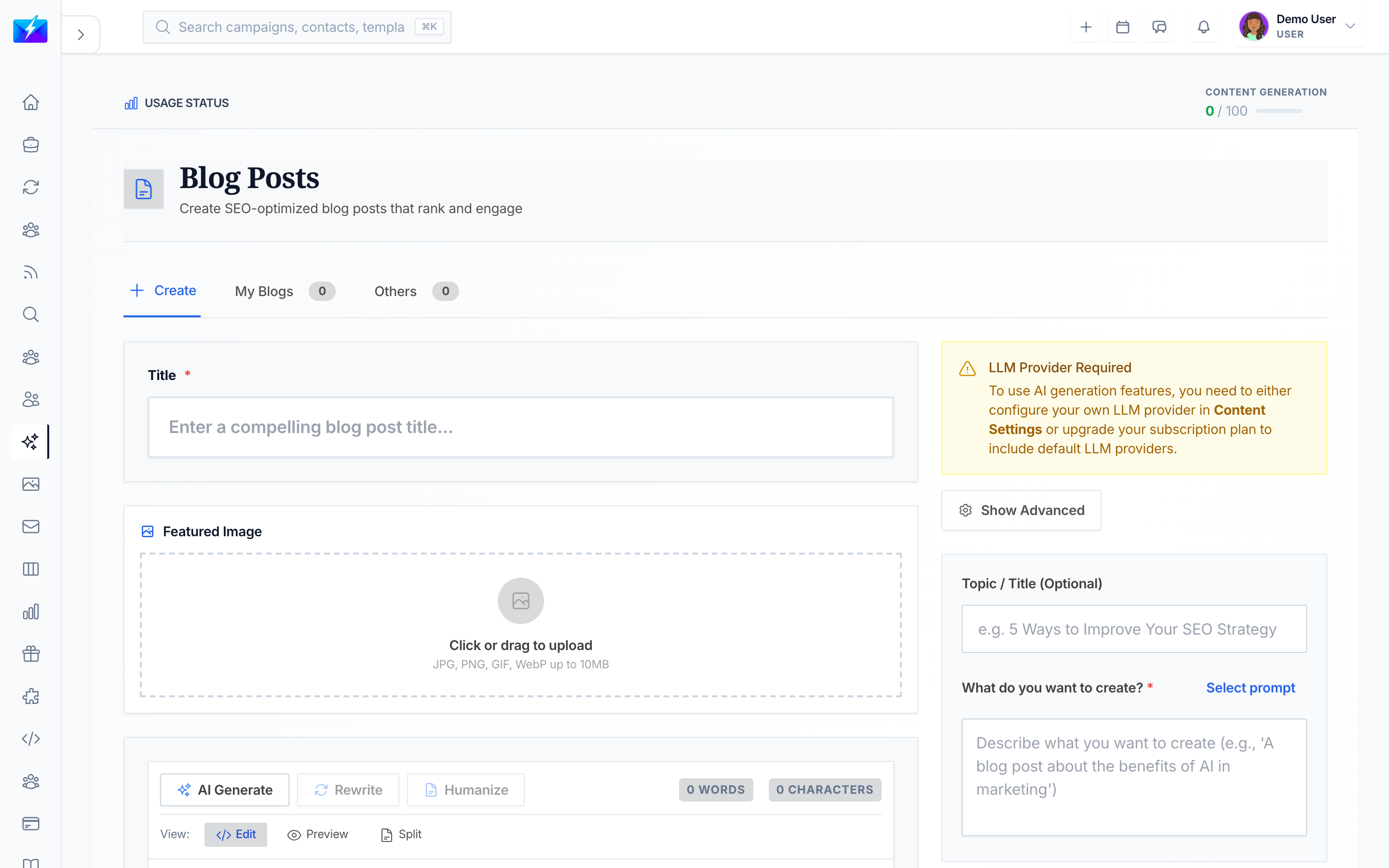
OutreachBox uses AI to produce SEO-optimized blog posts in minutes. Because content connects to your projects and keywords, the drafts stay on-topic and aligned with your SEO strategy.
How to generate a blog post
- Navigate to Content → Blogs.
- Click Generate Blog.
- Enter the details:
- Title — the blog post title.
- Keywords — your SEO keywords (pull these from your keyword research).
- Project — link to a project to use its keywords and context (optional).
- Length — typically 500–3000 words.
- Tone — professional, casual, or technical.
- Configure any AI settings.
- Click Generate.
How to edit and optimize the draft
Use the blog editor to refine the result:
- Format text, add headings, insert images, and manage links.
- Write a compelling meta description and optimize the title.
- Structure content with clear H2/H3 headings and short paragraphs.
- Check readability and keyword coverage before publishing.
Best practices
- Start from real keywords — link the post to a project so it inherits the right context.
- Always review and edit AI drafts for accuracy, voice, and intent.
- Add internal links to related posts and a clear call to action.
- Include an FAQ section to improve both SEO and AEO.
Frequently Asked Questions
How long should an AI-generated blog post be?
It depends on intent, but 500–3000 words is the typical range. Match length to how thoroughly the topic needs to be covered to satisfy the reader.Will AI content rank in search engines?
It can, if it's genuinely useful, well-structured, and accurate. Always review and edit drafts, target real keywords, and promote the content.Can I generate blog posts automatically on a schedule?
Yes. Use the auto generator to schedule recurring blog generation tied to a project and keywords.Why is my content low quality?
Improve your prompt and title, add more specific keywords, link a project for context, or adjust the AI settings. See How to Automate Content With a Content Agent for hands-off generation.Related articles
- How to Write Long-Form Articles With AI
- How to Automate Content Creation With the Auto Generator
- How to Do Keyword Research With OutreachBox
Generate fast, edit thoughtfully — AI gets you a strong draft; your review makes it rank-worthy.
Need more help?
Browse our knowledge base for more guides and tutorials