Content and Marketing
How to Create Social Media Posts With AI in OutreachBox
Updated June 15, 2026
Quick answer: Go to Content → Social Media, click Generate Post, choose your platform (Twitter/X, LinkedIn, Facebook, or Instagram), enter the topic, hashtags, and tone, then click Generate. OutreachBox produces platform-optimized copy within the right character limits, which you can edit, copy, or schedule.
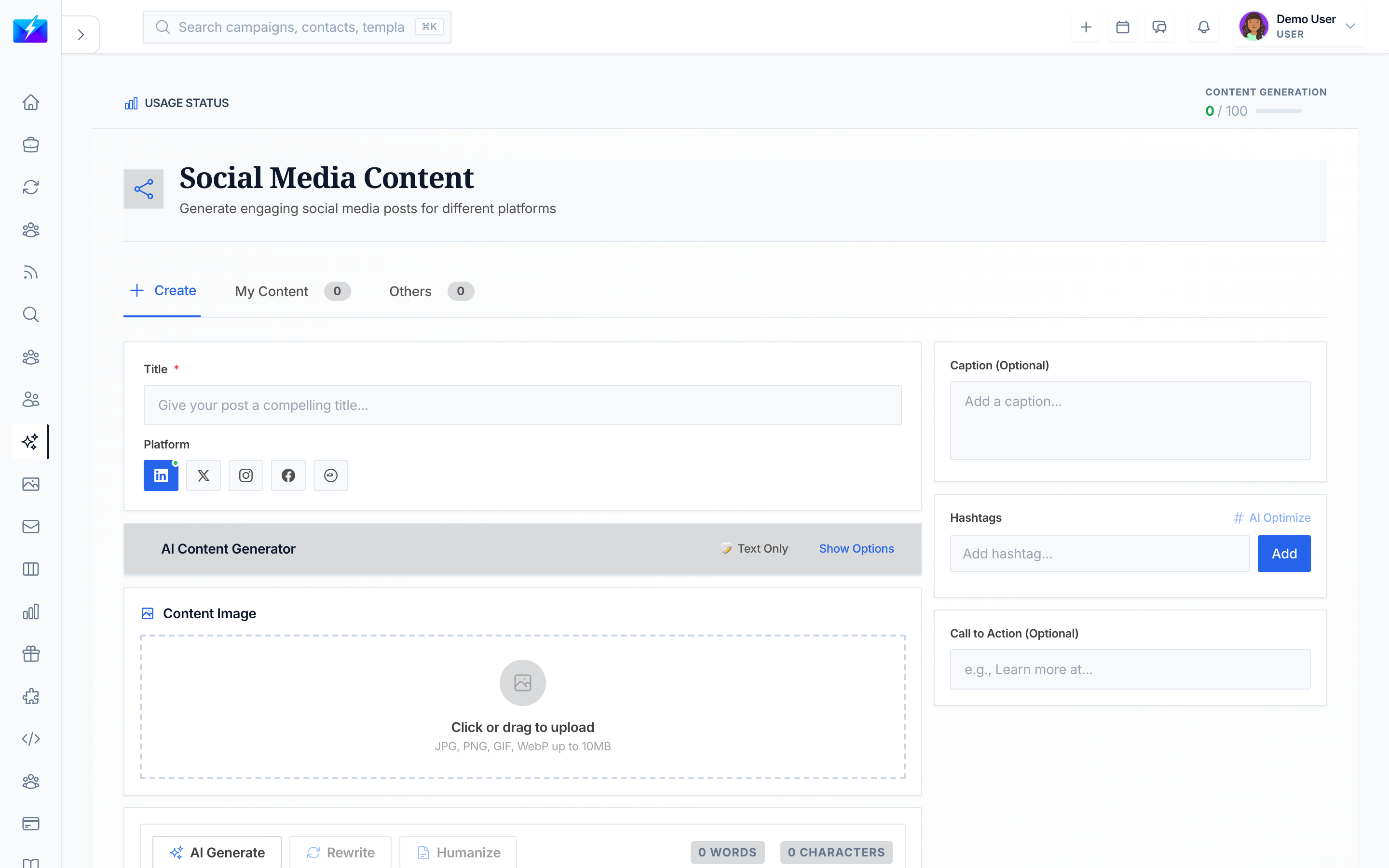
Social posts amplify your content and outreach. OutreachBox generates copy tailored to each platform's style and constraints, so you spend less time writing and more time engaging.
How to generate a social post
- Navigate to Content → Social Media.
- Click Generate Post.
- Select the platform: Twitter/X, LinkedIn, Facebook, or Instagram.
- Enter the details:
- Topic — what the post is about.
- Hashtags — whether to include them.
- Tone — professional, casual, or fun.
- Click Generate.
Platform optimization
OutreachBox tailors output to each platform's:
- Character limits and formatting.
- Hashtag conventions.
- Engagement style — what tends to perform on that network.
How to manage posts
- View, edit, and delete generated posts.
- Copy posts to your clipboard for publishing.
- Schedule posts for later.
Best practices
- Match the platform's native style — what works on LinkedIn rarely fits X.
- Use a focused set of relevant hashtags, not a wall of them.
- Repurpose blog and article content into multiple social posts.
- Post consistently; cadence beats occasional bursts.
Frequently Asked Questions
Which platforms are supported?
You can generate posts optimized for Twitter/X, LinkedIn, Facebook, and Instagram, each with the appropriate length and style.Can I schedule social posts?
Yes — generated posts can be scheduled, and you can automate recurring social content with the auto generator.How do I keep within character limits?
The generator optimizes for each platform's limits automatically; just confirm in the editor before publishing.Related articles
- How to Generate SEO Blog Posts With AI
- How to Automate Content Creation With the Auto Generator
- How to Build a Content Calendar With OutreachBox
Turn one idea into platform-perfect posts, and stay consistent without the manual grind.
Need more help?
Browse our knowledge base for more guides and tutorials