Content and Marketing
How to Write Long-Form Articles With AI in OutreachBox
Updated June 15, 2026
Quick answer: Go to Content → Articles, click Generate Article, then enter your topic, keywords, an optional outline, word count, and writing style. Click Generate, then use the editor to refine sections, add citations, and structure the piece before publishing.
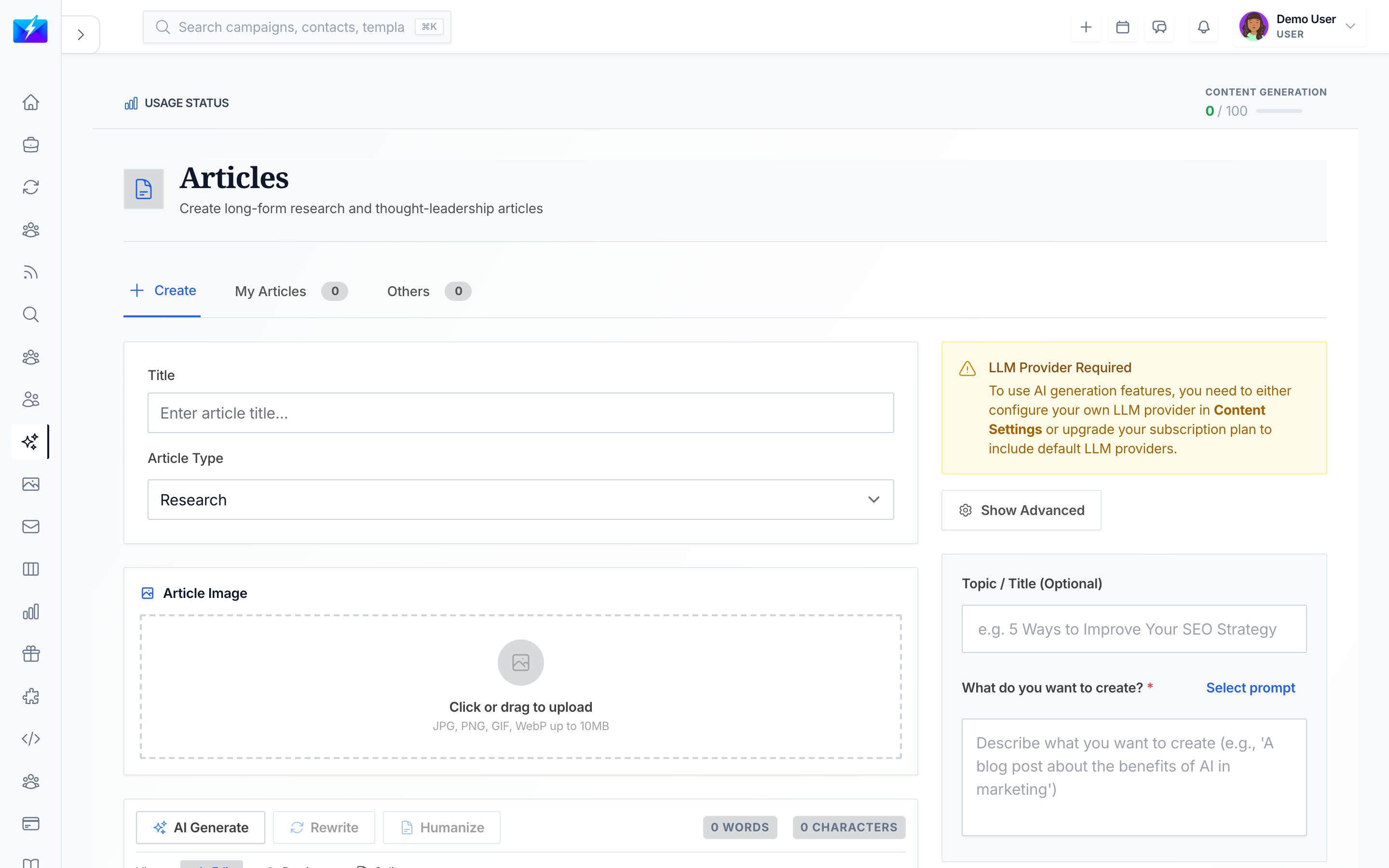
Articles are OutreachBox's tool for in-depth, research-style content — the comprehensive pieces that build topical authority and perform well in both search and AI answer engines.
How to generate an article
- Navigate to Content → Articles.
- Click Generate Article.
- Enter the details:
- Topic — the article subject.
- Keywords — key terms to target.
- Outline — an optional structure to follow.
- Length — your target word count.
- Style — the writing style.
- Set any generation parameters.
- Click Generate.
How to refine your article
The article editor is built for long-form work:
- Manage sections and reorder content.
- Apply formatting and add images.
- Add citations where you reference sources.
- Tighten the introduction and ensure each section delivers a clear point.
Articles vs. blog posts: which to use
| Use an article when… | Use a blog post when… |
|---|---|
| You need deep, comprehensive coverage | You want a focused, timely post |
| Building topical authority on a subject | Targeting a specific keyword quickly |
| The topic benefits from citations | You're publishing frequently |
For blog posts, see How to Generate SEO Blog Posts With AI.
Best practices
- Provide a clear topic and outline so the AI follows your intended structure.
- Cover the topic thoroughly — comprehensiveness is rewarded by both SEO and AEO.
- Add citations to build trust and accuracy.
- Always review and edit for facts, flow, and voice.
Frequently Asked Questions
What's the difference between an article and a blog post?
Articles are long-form, research-based, and built for depth and authority; blog posts are typically shorter and more focused on a specific keyword or timely topic.Can I provide my own outline?
Yes. Supplying an outline guides the AI to follow your intended structure and ensures the article covers the points you care about.How do I add sources to an article?
Use the editor's citation management to add references where you cite sources, which improves trust and accuracy.Related articles
- How to Generate SEO Blog Posts With AI
- What Is AEO and How to Optimize for AI Search
- How to Automate Content Creation With the Auto Generator
Use articles for the deep, authoritative pieces that earn citations and topical authority.
Need more help?
Browse our knowledge base for more guides and tutorials