Platform and Account
How to Manage Your Subscription and Billing in OutreachBox
Updated June 15, 2026
Quick answer: Open Subscriptions from the user menu to compare plans, upgrade or downgrade, track your usage against limits, add or update payment methods, and view billing history. Upgrades apply immediately; downgrades take effect at the next billing cycle.
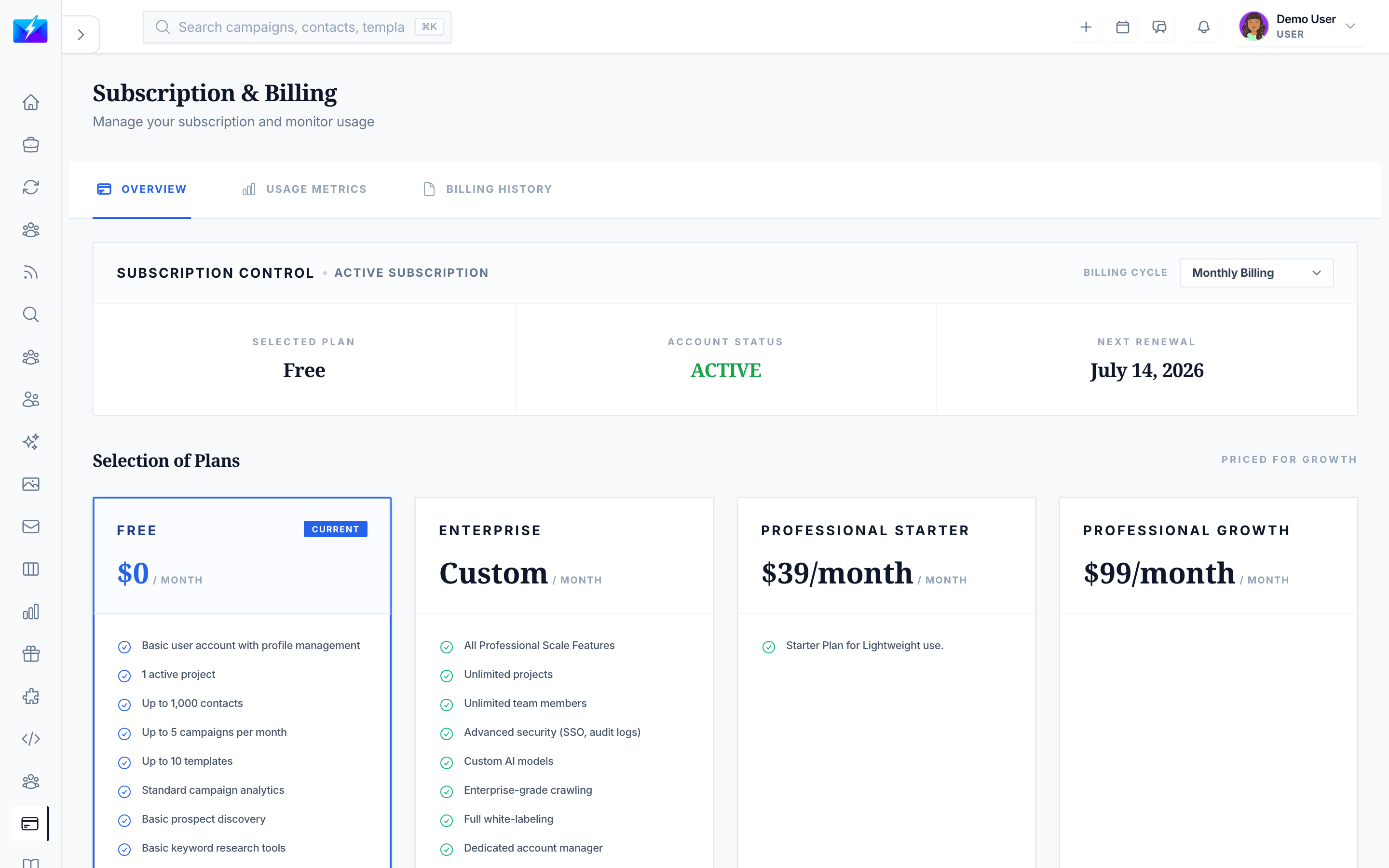
Your subscription controls your usage limits — email and phone reveals, contacts, verifications, and campaigns. This guide covers managing your plan and billing.
Plan tiers
| Plan | For |
|---|---|
| Free | Basic features and limited usage |
| Starter | Enhanced features |
| Professional | Full features |
| Enterprise | Advanced features and scale |
Plans differ in email reveals, phone reveals, contact limits, email verifications, campaign limits, and support level.
How to upgrade, downgrade, or cancel
- Upgrade — view plans, compare features, select a plan, enter payment info, and confirm. Upgrades apply immediately.
- Downgrade — select a lower plan and confirm; changes apply at the next billing cycle.
- Cancel — confirm cancellation; access continues until the current period ends.
Usage and billing
- Usage tracking — see current usage, limits, progress, and reset dates.
- Payment methods — add, update, set default, or remove cards.
- Billing history — view invoices, download receipts, and review payment dates.
Best practices
- Monitor usage counters so you upgrade before hitting limits.
- Keep your payment method current to avoid interruptions.
- Review billing history regularly.
- Match your plan to your actual reveal, contact, and verification needs.
Frequently Asked Questions
What happens when I hit a usage limit?
Actions tied to that limit (like reveals or verifications) pause until the next reset or until you upgrade. Watch your usage counters to plan ahead.When do plan changes take effect?
Upgrades apply immediately; downgrades take effect at the start of your next billing cycle.What happens if I cancel?
Your access continues until the end of the current billing period, then your plan ends.Related articles
- How to Reveal Verified Emails and Phone Numbers
- How to Configure Your Account and Organization Settings
- How to Earn Rewards With the Referral Program
Match your plan to your usage, watch your counters, and keep billing details current.
Need more help?
Browse our knowledge base for more guides and tutorials