Platform and Account
How to Earn Rewards With the OutreachBox Referral Program
Updated June 15, 2026
Quick answer: Open Referrals, copy your unique referral link, and share it by email, social media, or a custom message. When people sign up through your link, you earn rewards like bonuses, account credits, or feature unlocks — track your referrals and rewards right on the page.
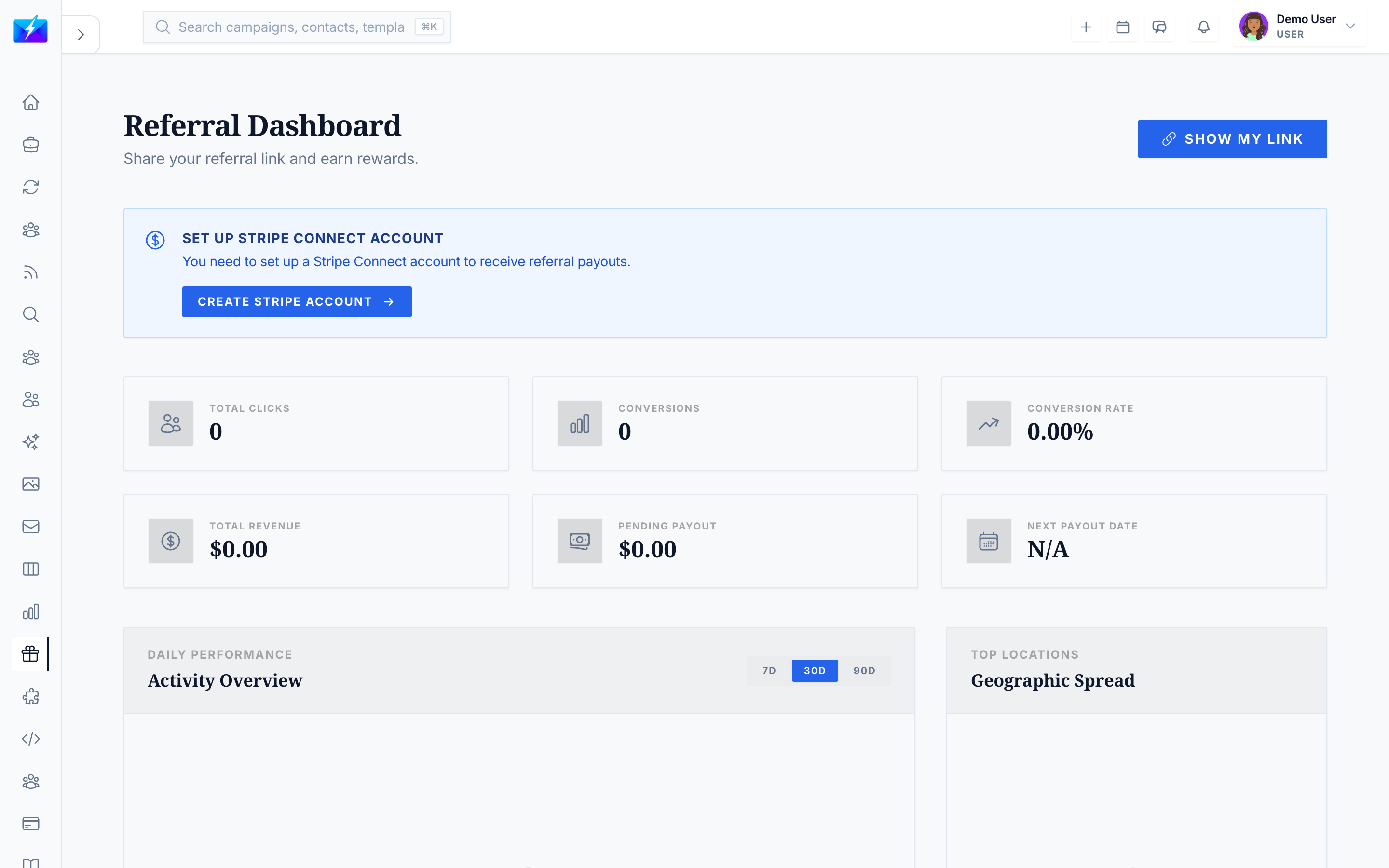
The Referral Program rewards you for spreading the word about OutreachBox. Share your link, and earn benefits when others join.
How to refer others
- Navigate to Referrals.
- Copy your referral link.
- Share it via:
- Copy link
- Social media
- Custom messages
- Track sign-ups and rewards on the page.
What you can earn
- Referral bonuses
- Account credits
- Feature unlocks
- Other benefits
How to track referrals
The Referrals page shows your referrals, sign-ups, rewards earned, and overall statistics.
Best practices
- Share with people who'd genuinely benefit from OutreachBox.
- Explain the value, not just the link.
- Use the built-in share tools for quick distribution.
- Follow up with people who showed interest.
Frequently Asked Questions
How do I get my referral link?
Open the Referrals page and copy your unique link, then share it however you like.What rewards do I get?
Depending on the program, you can earn referral bonuses, account credits, feature unlocks, or other benefits when people sign up through your link.How do I know if a referral counted?
The Referrals page tracks sign-ups and rewards, so you can see which referrals converted.Related articles
Share a link you believe in, and turn word-of-mouth into rewards.
Need more help?
Browse our knowledge base for more guides and tutorials